
01 The agent
Native to Blender, not bolted on.
The agent runs inside Angelo with Blender's own data and tools, so it sees what you see and changes what you'd change.
Works in your real scene
It reads the selection, the scene and what just changed, and builds with Blender's own objects, modifiers, materials and animation. Everything it makes is ordinary Blender data you can keep editing by hand.
Typed edits, checked first
61 typed scene actions and 54 native tools cover 554 of Blender's 1,603 operators, some partially. Plans are checked against exact schemas before anything runs; general Python is a reviewed fallback, not the default.
One round trip per edit
Built to need one model call per edit. On five short benchmark tasks, in a first, small run, it finished 1.7× faster than Blender MCP with the same model. See the benchmark.
Checked by Angelo, not the model
38 kinds of typed checks confirm each edit did what it said, before the model reports back.

Captured in Angelo · first, the blockout 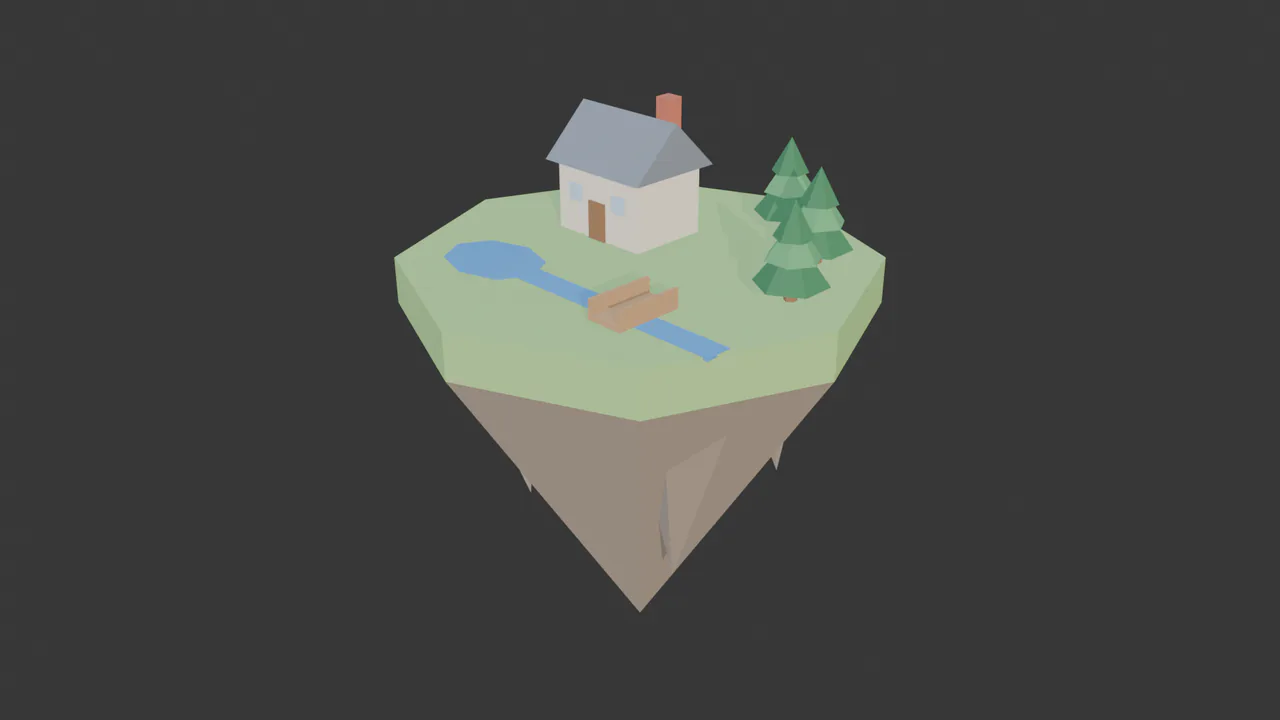
Captured in Angelo · then materials 
Rendered in Angelo with EEVEE · one conversation with Claude Opus 5.5
02 Control
Nothing changes until you say so.
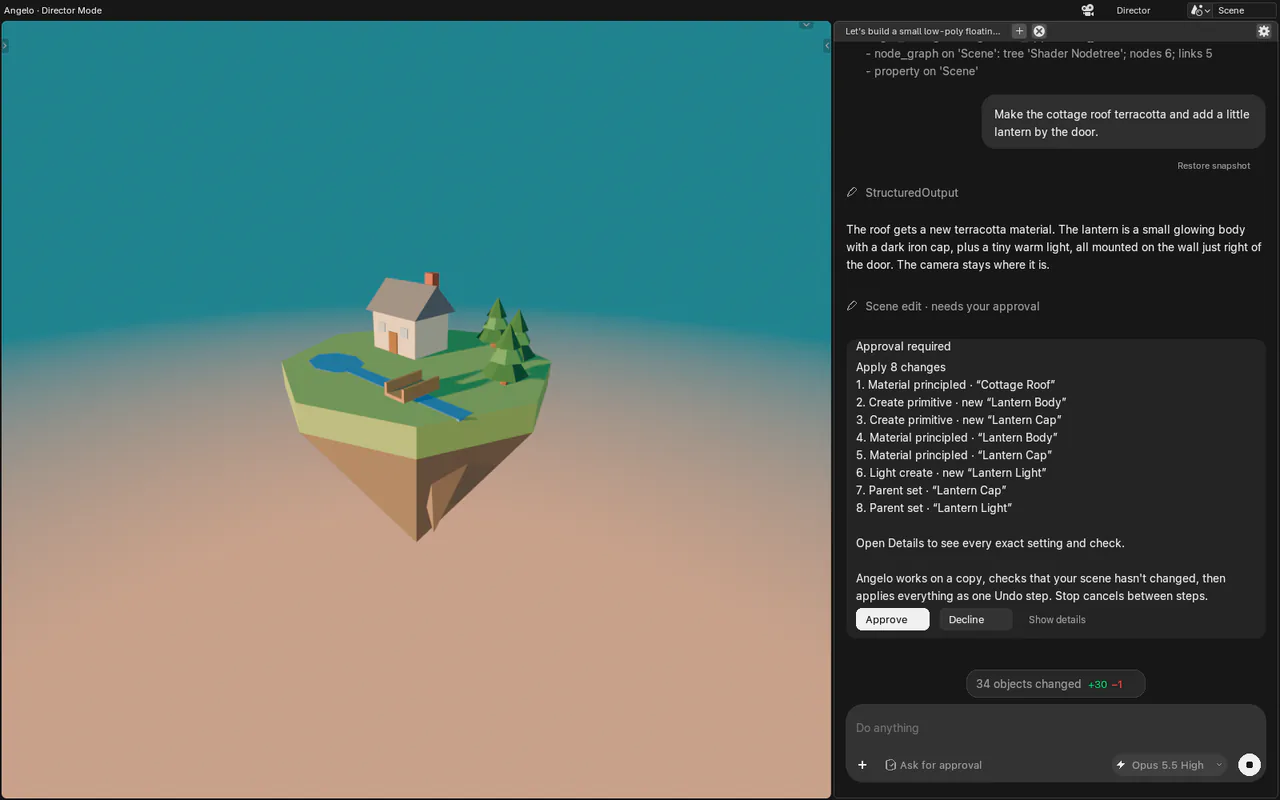
Approvals, previews and snapshots keep the artist in charge of every change.
Three approval modes
Ask before changes is the default: every change arrives as a card that lists exactly what will happen. Auto approves validated, bounded edits. Read only lets the agent look but never touch.
Python is always reviewed
When the agent needs a script, the card shows the exact code, every time, even in Auto, and says plainly that effects outside the scene can't be undone.
Previews on a copy
Ask for a preview and the edit is staged on an isolated copy of your scene, with a picture of the result. Accept it or discard it; your file is untouched until you accept.
One Undo step per edit
Angelo checks your scene hasn't changed underneath it, then applies the whole edit as one Undo step. A stale edit is refused rather than overwriting your work.
A snapshot before every message
Restore snapshot on any message brings the scene, and the files Angelo wrote, back to that point; Undo restore takes it back. Snapshots share unchanged data (16× smaller than full copies in our test) inside a 2 GB budget you can change.
03 Two ways to work
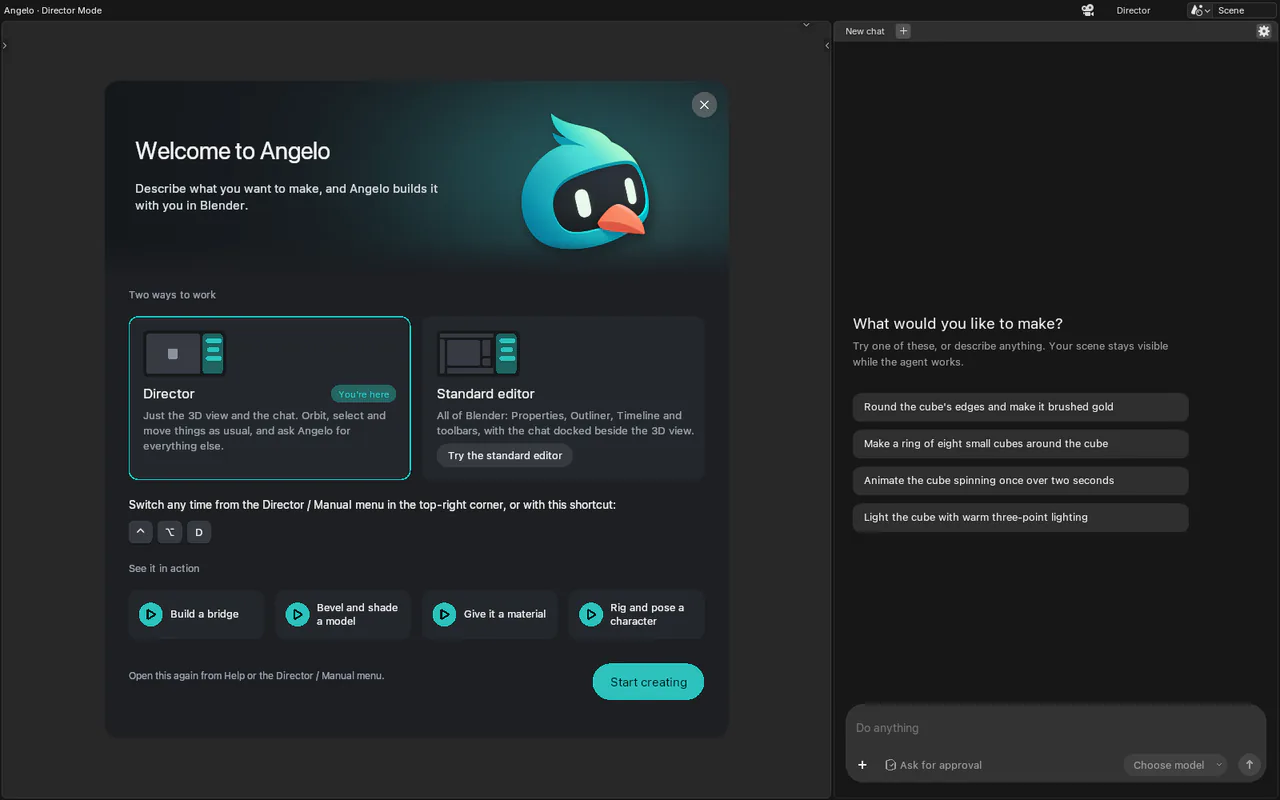
Director mode, or all of Blender.
Start with just the view and the conversation, and open the full editor whenever you want it.
Director mode
Just the 3D view and the chat. Orbit, select and move things as usual, and ask Angelo for everything else. It's where Angelo starts.
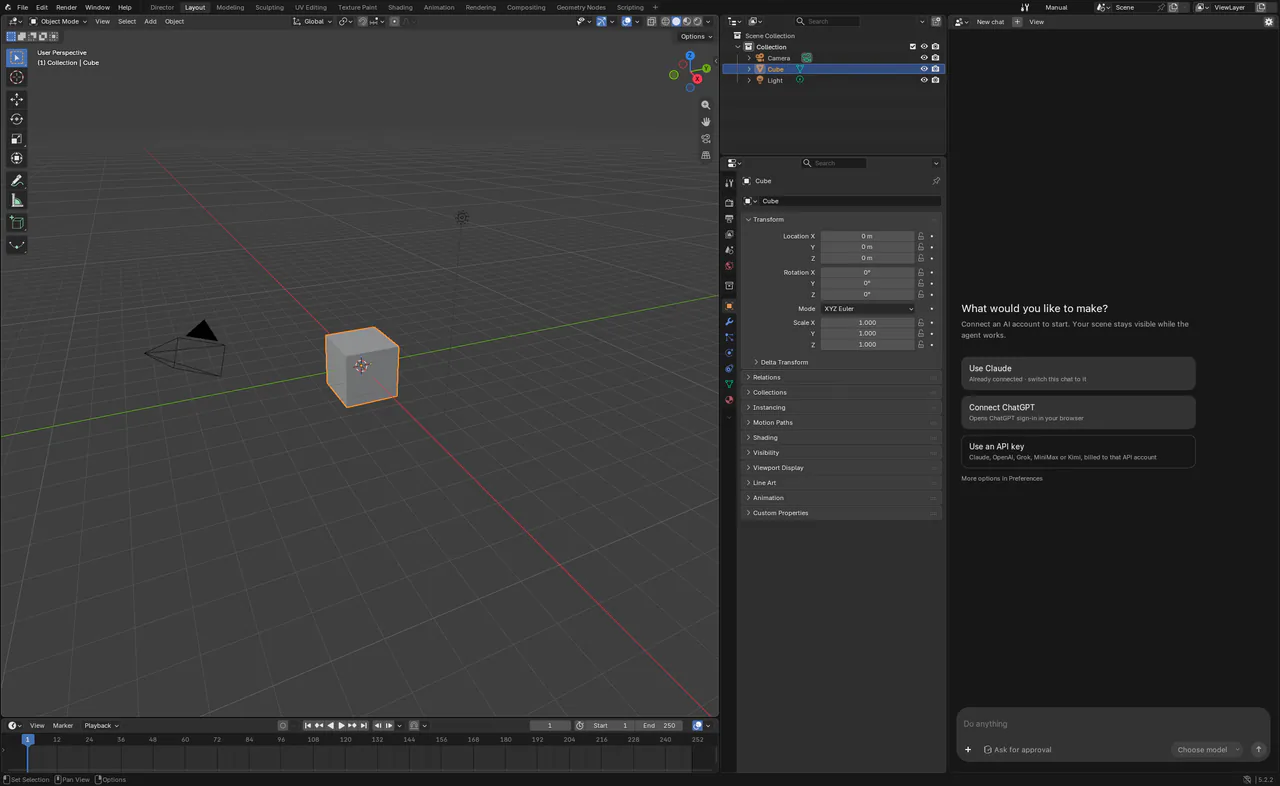
The standard editor
All of Blender: Properties, Outliner, Timeline and toolbars, with the chat docked beside the 3D view.
One shortcut between them
Switch with ⌃⌥D (Ctrl+Alt+D on Windows) or the Director / Manual menu. The welcome screen explains both on first launch.
04 Media Studio
Concepts and references, next to the model.
Generate the images a scene needs without leaving it, with the image models you connect.
Media Studio
Concept frames, reference boards and textures from 6 image models: GPT Image 2.5 Flare and Sunburst (OpenAI), Nano Banana 2.1, 2 and Pro (Google) and Seedream 5.0 Pro (BytePlus). The agent can drive it for you.
Generation Flows
Multi-step image work as a node tree in Blender's Node Editor. The agent builds and runs a flow; you can open the same tree and edit it by hand.
One itemized approval per run
A flow's approval card lists each paid step with an estimated price, and you can untick a step (and the steps after it) before it runs. At most 16 paid generations per approval.
Your generation keys
Generation uses its own API keys, set up under AI Providers. A Claude or ChatGPT subscription doesn't pay for images, and no provider stands in for another.
05 Your models
Bring the agent you already pay for.
Angelo doesn't include or resell a model. You connect your own, and switch whenever you like.
The launch models
Claude Opus 5.5, GPT-6 Astra and GPT-6.1 Sol: the models every Angelo release is tested on.
Claude
With your Claude subscription, through the official Claude Code tool, or an Anthropic API key.
ChatGPT
With your ChatGPT subscription, through the official Codex tool, or an OpenAI API key. Angelo's tools are registered natively.
Grok, MiniMax and Kimi
Also by API key, with the same scene tools and approvals.
Keys in your keychain
API keys live in the macOS Keychain or Windows Credential Manager, never in your .blend file. Turn Remember off and a key stays in memory only.
Straight to the provider
On your own, requests go from your computer to the provider you chose; Angelo's servers aren't in between. A model picker in every chat, and usage limits shown with their reset time.
06 Teams
One studio, one set of keys.
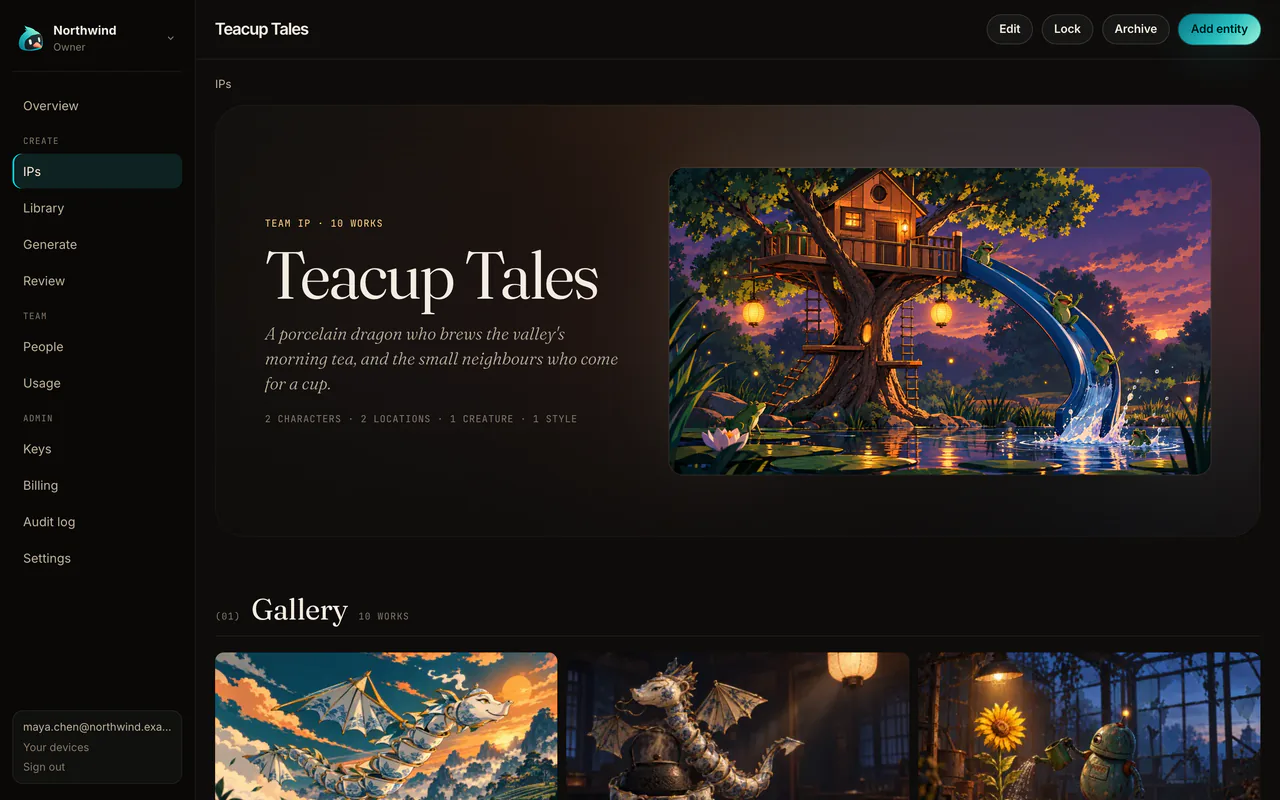
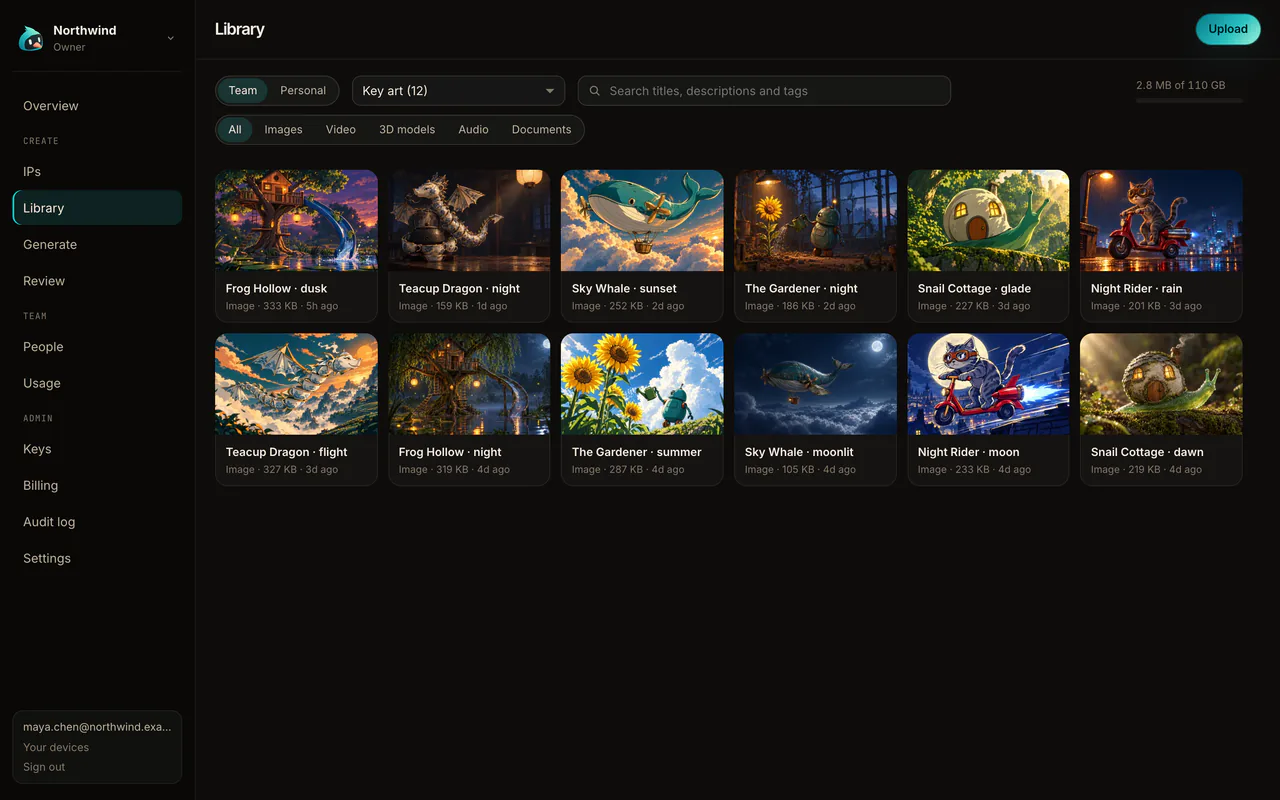
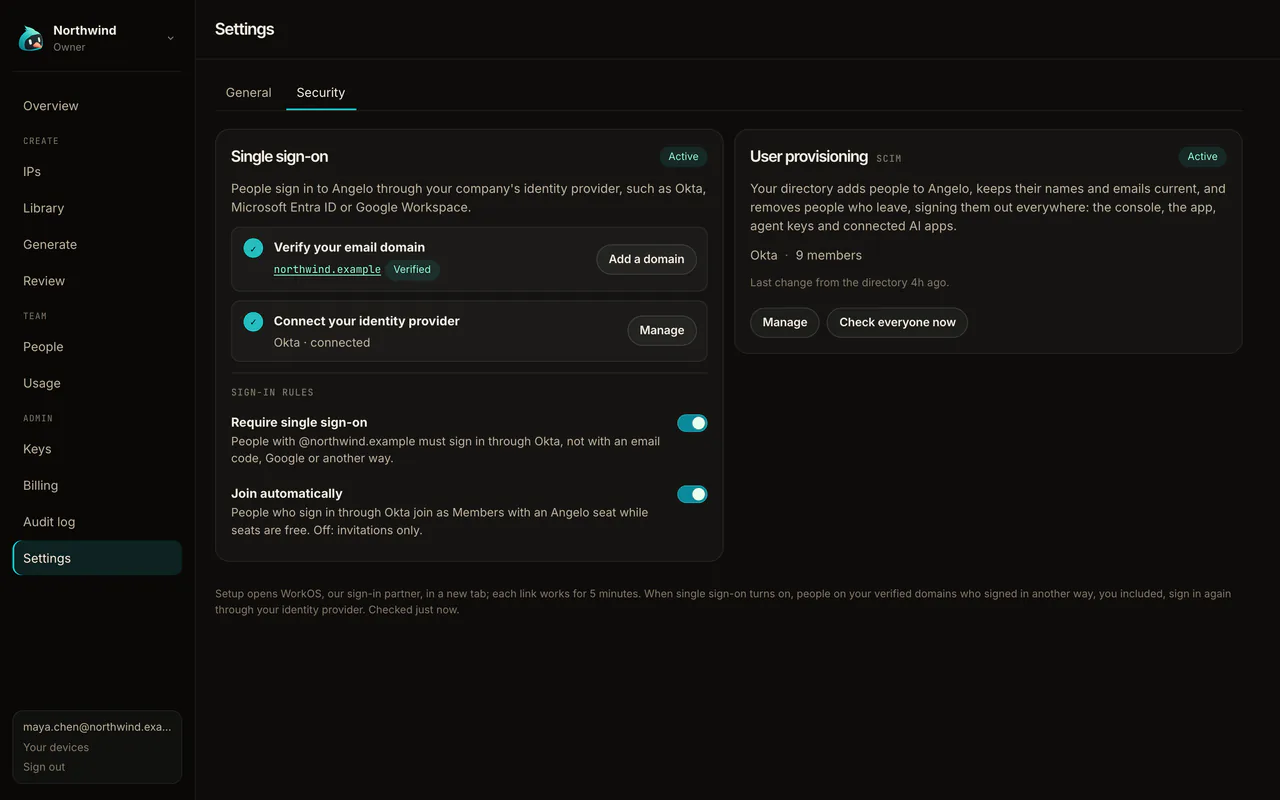
The console at console.angelo.studio gives a studio shared keys, a library and IPs, and the sign-in IT expects.
Angelo for studiosOrg keys through the gateway
An admin adds each provider key once. It's encrypted with Google Cloud KMS (envelope encryption, a data key per organization) and used by Angelo's gateway on behalf of each artist with a seat; it never reaches a laptop.
Team sign-in in the app
Artists sign in to the team from Angelo, and the org's models are simply there. Without a seat, the app says to contact an admin.
Team library and IP bible
Shared images with their prompt, references and model, plus versioned characters, locations, props and styles. The agent can search them, and import from or save to the library with your approval.
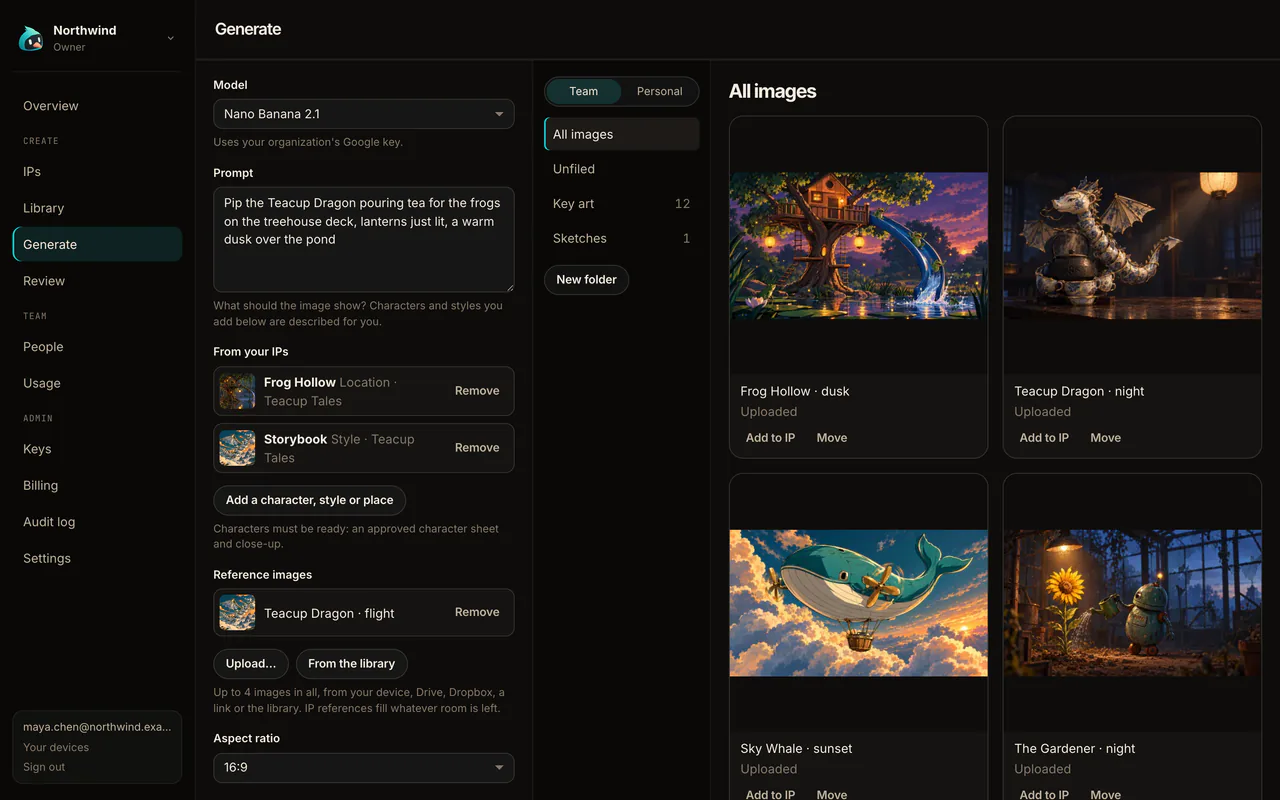
Image generation in the console
Generate with your IPs and library references from the browser, on the org's keys; results are saved to the library automatically.
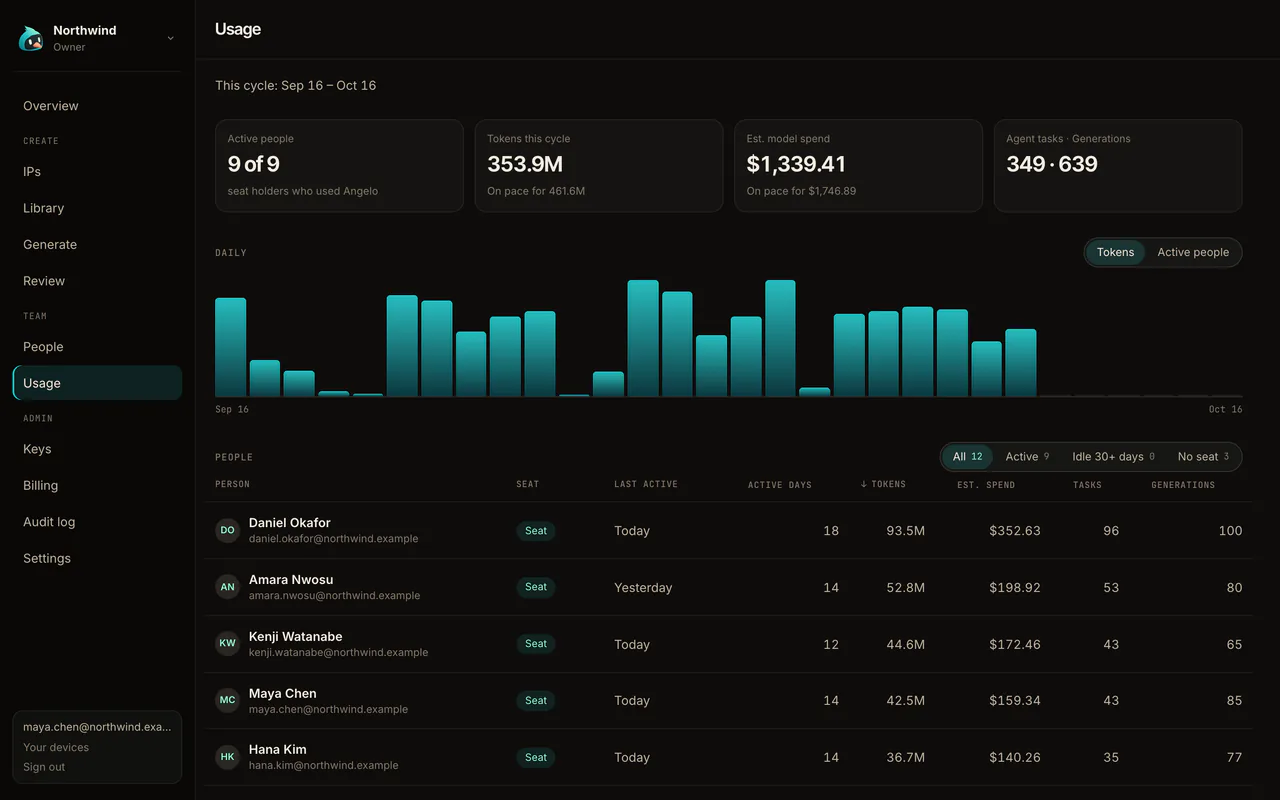
Usage and an audit log
Estimated spend by person and model with a projection to the end of the period, and a log of every change to people, seats, keys, billing and settings.
Single sign-on
On Enterprise: Okta, Microsoft Entra ID, Google Workspace or any SAML or OIDC provider, with Require single sign-on, automatic joining and domains verified in the console.
SCIM provisioning Coming soon
On Enterprise: people added and removed from your directory, with their access, automatically.
Audit log export Coming soon
On Enterprise: take the log of every change out of the console.
MCP for your library Coming soon
Connect your own agents to search the library and IPs, read-only.
07 Underneath
Still Blender, all of it.
Angelo adds to Blender; it doesn't replace any of it.
Blender 5.2.2
Cycles and EEVEE, Geometry Nodes, sculpting, animation, simulation and Blender's importers and exporters, from the full-feature build.
Tuned for an agent
Angelo's build adds engine work of its own for speed: leaner dependency-graph updates in large scenes, batched GPU uploads for subdivision surfaces, and agent edits staged in a separate copy held outside your scene until they are approved.
Your files, as they are
Your .blend files open as usual, and what Angelo makes is plain Blender data.
Beside your Blender
Angelo installs separately with its own settings and add-ons, so a Blender you already have never changes.
In 21 languages
Angelo 1.0's interface speaks 21 languages, from Arabic and Hindi to Japanese, Swedish and Vietnamese.
Open source
GPL-2.0-or-later, like Blender. The source opens at launch.