DocsRetopology
Clean quads from any mesh
New in 2.1.0 Sculpts, scans and AI-generated models come with topology nobody can animate, unwrap or ship. Retopology turns them into clean, evenly flowing quads that follow the shape, its sharp edges and the edges you marked, as a new object, close to the face count you ask for.
Retopologize a mesh, step by step#
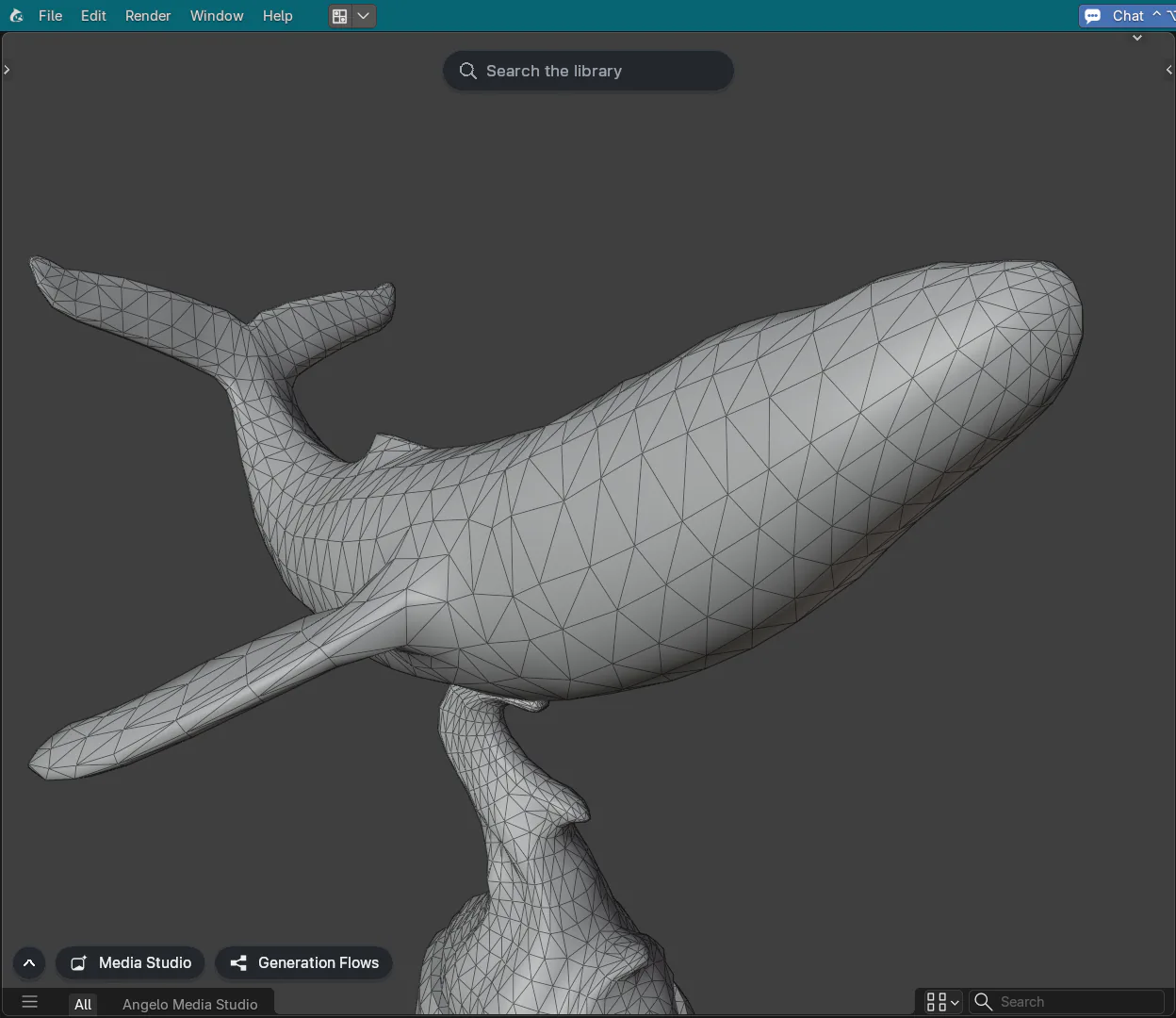
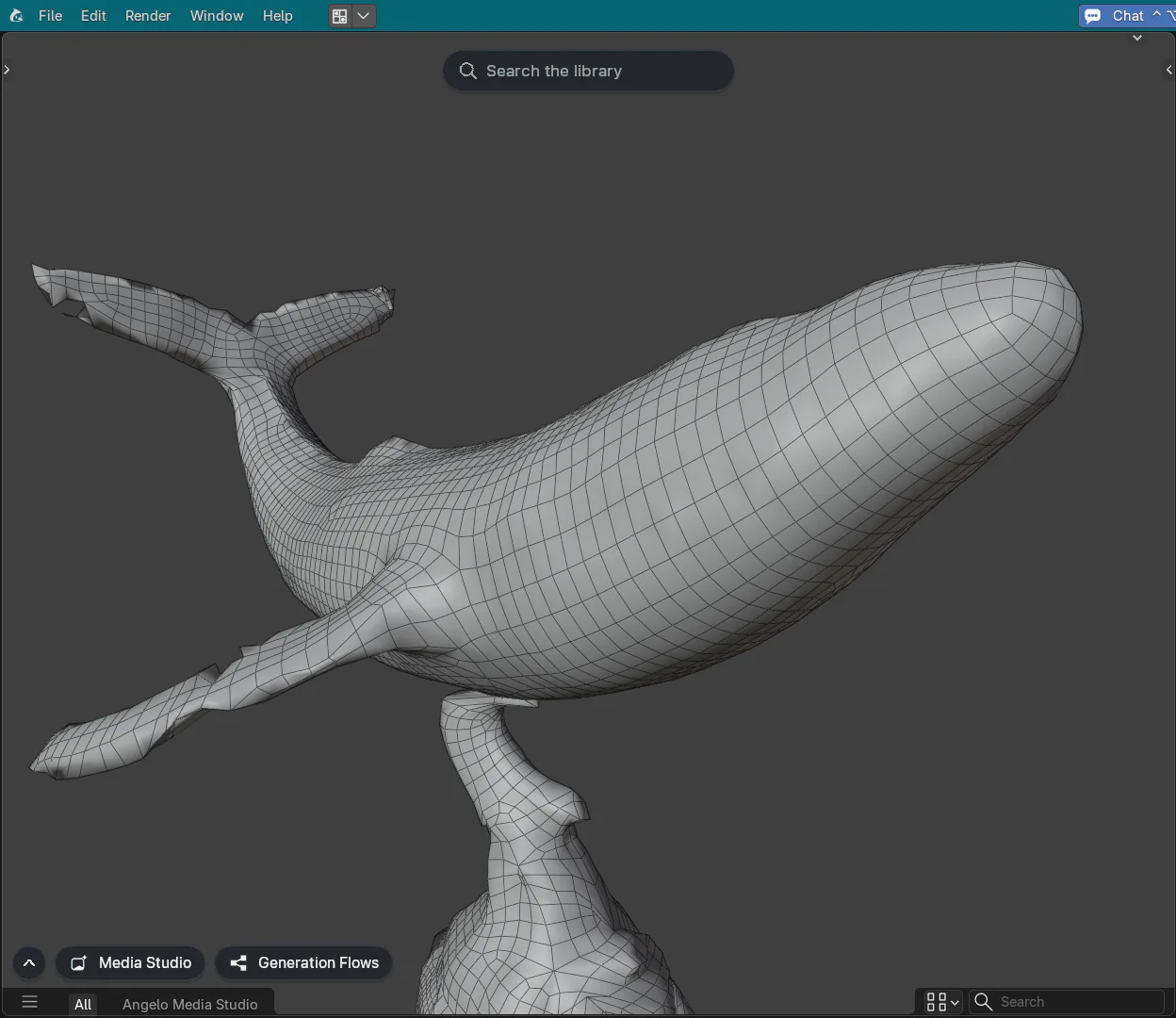
- In Object Mode, select the mesh.
- Click + in the chat bar, open Model and choose Retopology.
- Set Faces (5,000 by default) and, for a symmetric model, Use Mesh Symmetry. The other options can stay as they are.
- Click OK. It runs as a background job with progress and Cancel in the status bar; the interface waits meanwhile, as it does for QuadriFlow.
- The result is a new object named after the source with _retopo, selected and active. The source is untouched. The report line gives its faces, how many are quads, and how far it lies from the original.
The options#
| Option | What it does |
|---|---|
| Faces | About how many faces the result has, both halves of a symmetric result together. |
| Use Mesh Symmetry | Mirror across the mesh's own symmetry axes (Mesh ▸ Symmetry, as in Sculpt Mode). Off, Symmetry chooses the axes. |
| Sharp Angle | Edges where faces meet at more than this angle (35° by default) become edges of the result. 0 follows only marked edges. |
| Follow Marked Edges | Edges you marked Sharp, Seam or Crease become edges of the result, whatever their angle. |
| Follow Curvature | How strongly the edge flow follows the way the surface curves. 0 gives the smoothest flow. |
| Only Quads | Every face a quad (on by default). Off keeps the few triangles and pentagons the flow needs. |
| Preserve Attributes | Carries vertex groups, colours and other attributes over from the nearest surface, so a rigged character keeps its weights. |
| Smooth Normals | Shades the result smooth. |
| Keep Original | On (the default), the result is a new object. Off replaces the mesh in place, as QuadriFlow does. |
Ask the agent#
Say “retopologize this at about 8k faces” and the agent runs the same tool as a background job, with the same Undo step. Its receipt has the faces, the quad ratio, the poles and the deviation, so it can check the result before telling you it is done.
Compared with Blender's remeshers#
| QuadriFlow | Retopology | |
|---|---|---|
| Edge flow | Quads | Quads whose loops follow the curvature, sharp edges and the edges you marked |
| Broken meshes | Finished 22 of Angelo's 42 held-out test runs | Finished all 42: holes, loose parts, flipped faces and triangle soups |
| Result | Replaces the mesh | A new object (Keep Original), or in place |
| The agent | Can run it from a script | Runs it as a job and reads back faces, quad ratio, poles and deviation |