DocsScatter
Scatter by rules
New in 2.1.0 Place trees, rocks or any objects on a surface by slope, height, a painted mask and distance from paths or buildings, in layers that keep out of each other's way. Pick one of six biomes or scatter your own objects. The result is plain Geometry Nodes you can open and edit.
Scatter your own objects#
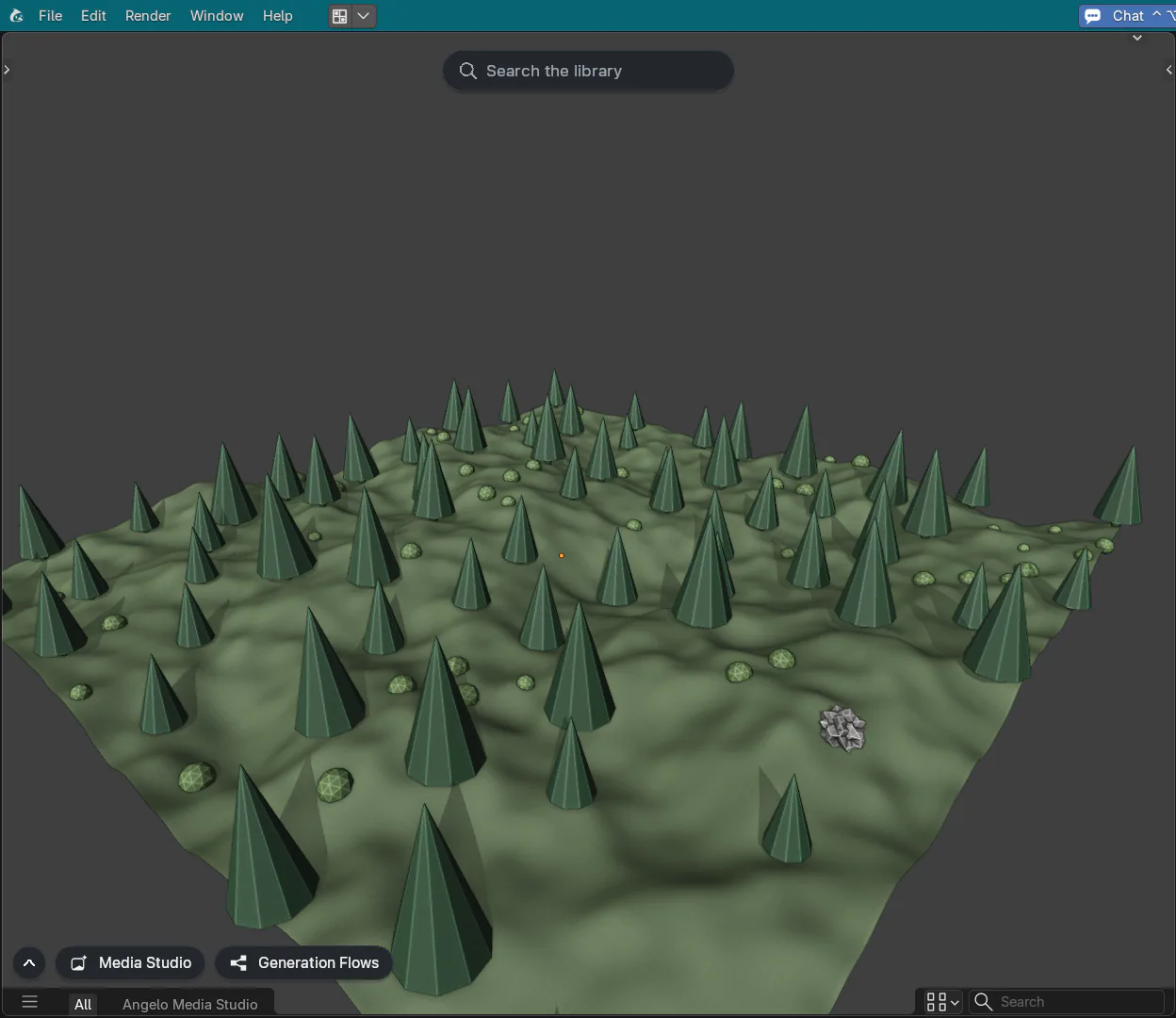
- Select the objects to scatter, such as two rocks and a bush.
- Shift-click the surface last, so it is the active object.
- Click + in the chat bar and choose Scatter. The Scatter card opens over the 3D view.
- Under Selected objects, choose how many Per square metre, then Scatter.
Scatter a biome#
- Make the surface the active object, and open Scatter.
- Choose a Biome. Each of its layers needs objects: select some of your own and press Use Selection, or Find in Library to add free models from the Angelo Library.
- Press Scatter. The chat says how many instances it placed, and names any layer that found nowhere to go.
| Biome | What it places |
|---|---|
| Conifer slopes | Pines and young pines on moderate slopes, rocks where it is steep, ferns in the understory. |
| Mixed temperate forest | Broadleaf and conifer canopy, shrubs and an undergrowth of ferns and grass. |
| Meadow | Grass clumps with flowers in drifts and the odd stone, on gentle ground. |
| Rocky scree | Boulders and loose stones on steep ground, sparse tough grass in between. |
| Desert scrub | Scattered shrubs and cacti far apart, stones and dry grass on flat and gently sloping ground. |
| Dune grass | Beach grass in clumps above the shoreline, driftwood and shells lower down. |
How the rules work#
Each layer has its own density, scale range and rules. Every rule thins the layer where it doesn't fit, with a soft edge:
- Slope: only on ground between two angles, such as grass on the flat and rocks on the steep.
- Height: only between two heights, such as driftwood below the dunes.
- Mask: only where a vertex group or attribute you painted says so, with Blender's own weight paint.
- Distance: away from paths and buildings, or only near them.
- Noise: patchiness, so it doesn't look even.
Layers are placed in order and keep apart by each asset's footprint, so the big trees placed first keep shrubs out of their trunks. The agent and biome presets set these rules; scattering your own objects uses density, spacing, the steepest slope, following the surface and a scale range.
Tune it afterwards#
The scatter is one object with a Geometry Nodes modifier. Its inputs change it without rebuilding:
| Input | What it does |
|---|---|
| Density Scale, Seed | Thin everything out, or reshuffle it. |
| Cull in Viewport, Cull in Render, Cull Beyond | Keep only what the camera can see, and nothing farther than a distance. Without a camera nothing is culled. |
| Viewport Share, Points in Viewport | Draw fewer instances, or points in their place, while you work. Renders always place the full assets. |
Open the node group in the Geometry Nodes editor to change anything else; it is ordinary nodes.