DocsShape Cut
Draw to cut
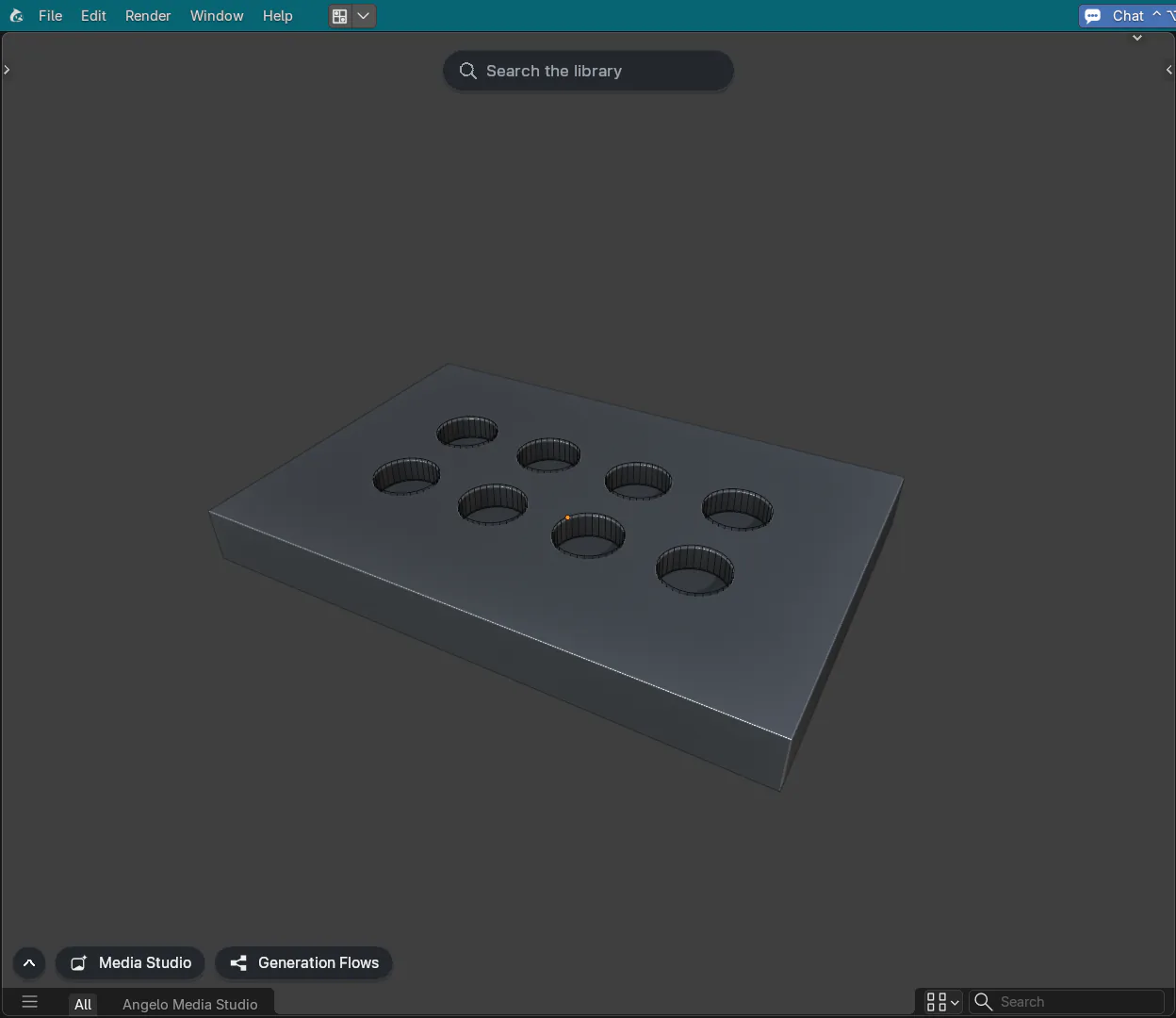
New in 2.1.0 Hard-surface detail in Blender means building cutter objects and Boolean modifiers by hand. Shape Cut lets you draw the shape right on the surface: a box, a circle, a polygon or freehand, snapped to a grid lined up with the face. Every cut stays live and editable until you apply it.
Cut a shape, step by step#
- Select the object to cut.
- Click + in the chat bar, open Model and choose Shape Cut.
- Hover a face: its grid appears, lined up with the face's nearest edge.
- Drag a box or a circle. For a polygon, click its corners and click the first one (or press Return) to close it. Hold and draw for freehand.
- Move the mouse to set the depth; the result shows live. Click to make the cut.
Keys while you draw#
| Key | Does |
|---|---|
| 1 | Cut: take the shape away |
| 2 | Union: add it as a raised solid |
| 3 | Intersect: keep only what is inside the shape |
| 4 | Slice: split the shape off as a new object, “<object> Slice” |
| 5 | Inset: a pocket whose walls keep a thickness, so a thin shell stays closed |
| 6 | Panel: a groove along the outline |
| T | Through: cut all the way through |
| B C P F | Box, Circle, Polygon, Freehand |
| Shift | Square the shape |
| Alt | Grow it from its centre |
| Ctrl | Turn grid snapping off and on |
| Esc or right-click | Cancel, leaving nothing |
Change a cut later#
- Cutters live in an Angelo Cutters collection, drawn as wire and never rendered, parented to the object they cut.
- Select a cutter and move, rotate or scale it: its cut follows.
- A grid of cuts is one cutter with two Array modifiers, so you can change the count and spacing.
- Delete a cutter and its cut goes with it; the object's own mesh is as it was.
Each cut is one Undo step. Shape Cut picks Blender's Manifold Boolean solver when the object is closed, and Exact otherwise, and says which.
Ask the agent#
Describe the cut in words, such as “cut a 2 cm vent grid into this panel”, and the agent makes the same live cut, with box and circle shapes, arrays and every operation. Polygon and freehand shapes are drawn by hand.
Shape Cut and Bool Tool#
Blender's Bool Tool add-on still ships with Angelo, for cutting with an object you already have. Shape Cut adds no key outside its own drawing, so the two never compete. The difference is applying: Bool Tool's quick operators delete the cutters and apply every modifier, while Shape Cut keeps cuts live.